

Template Rendering in Django
If templates folder says where the HTML files are present then template rendering says how to display it and this is the part where Django takes HTML file and shows it to the user. Let's Understand it.
What is "rendering" mean?
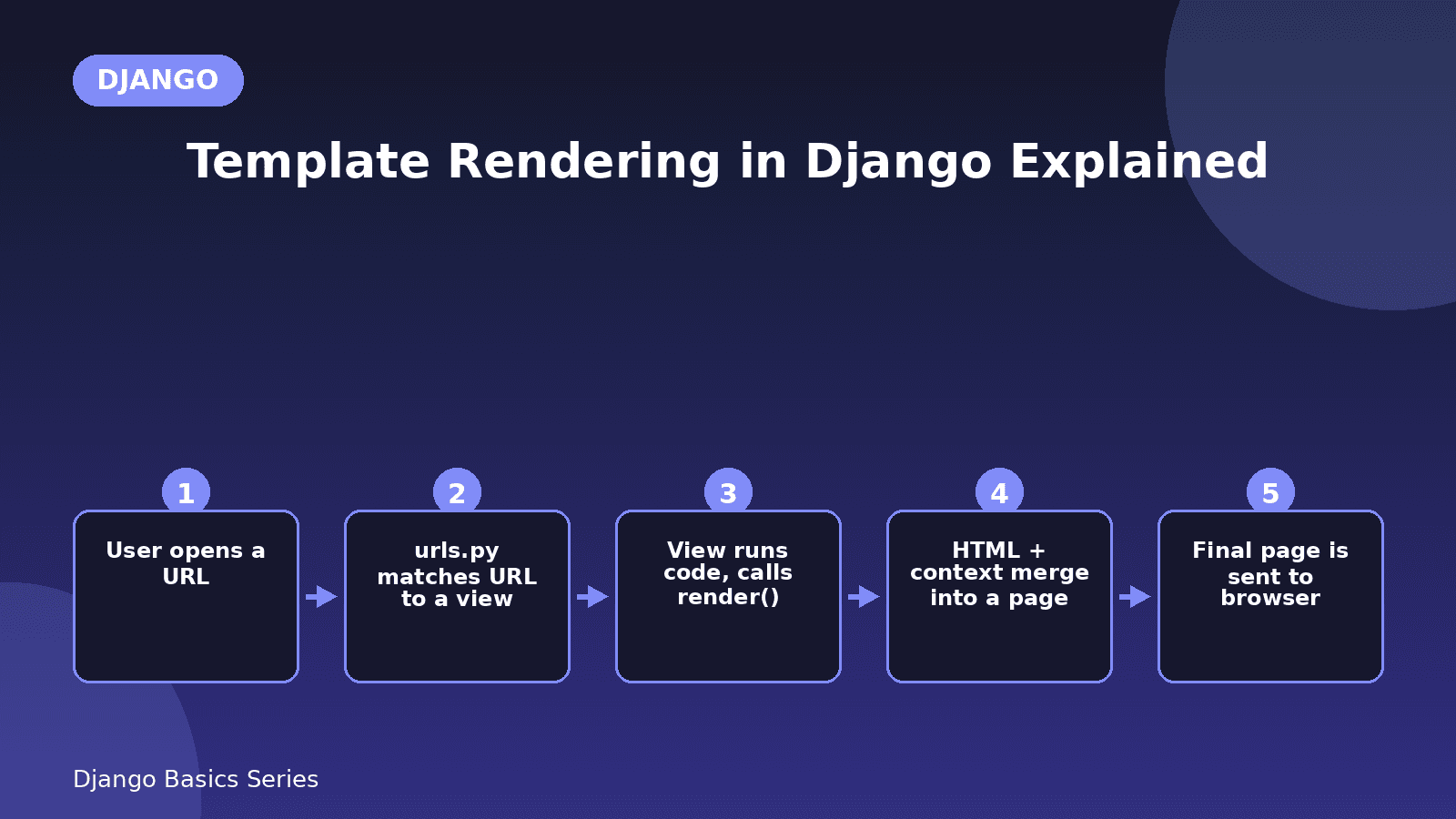
Rendering means taking an HTML file, filling the file with some data and sending the final page to the browser and Django has a special function for it named as render().So let us understand how the backend works when an URL is sent by the user in the browser.
Steps for template rendering:
step 1: Firstly user open a URL in the browser and what to render a data from that particular URL
step 2: Now according to that URL the Django checks in the backend in the project urls.py to see which view function is it handling. And in the urls.py it will be checking the URL of it.
from django.urls import path
from . import views

urlpatterns = [
   path('', views.home, name='home'),
]
Here it says that go to the views.py and check in the function name called 'home'.
Step 3: And after checking, is any URL is present that user wants to render from urls.py then it will go to the views.py and check it whether is any data is present in that particular URL or not. Is any data is present then it will render it.
from django.shortcuts import render

def home(request):
    return render(request, 'home.html')
It says that if the home function is calling then render the home.html file to the URL browser.
Sending data to the template
One of the important feature of Django is it can send data from python code to HTML templates. Let's Understand it clearly
Step 1: Giving a variable in the HTML file
For example if we want to display name and we want change it every time then we will be giving a variable in the HTML file as {{variable_name}}. So in the home.html file I want give the name variable in it and my HTML code will be like this
<!DOCTYPE html>
<html>
<head>
      <title>My Portfolio </title>
</head>
<body>
      <h1>My self {{ name }}</h1>
</body>
</html>
Step 2: writing the python code for sending data in HTML file
Now after that we will be writing a python code using dictionary for inserting data in the key ‘name’ .
def home(request):
    student = {
         'name': 'Sai Shashank'
}
return render(request, 'home.html', student)
so we given a data by using key in dictionary and said to return it when ever URL request will send named as home.html then the html display the data as My self sai shashank.
Quick Recap
- render() connects the python view to the HTML template.
- We can pass data using dictionary.
- Use {{variable_name}} in HTML to show that data.
Comments