

RIGHT JOIN
RIGHT JOIN OR RIGHT OUTER JOINS
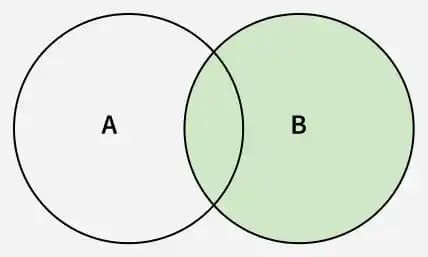
In SQL, the RIGHT JOIN (also called RIGHT OUTER JOIN) is used to combine rows from two tables based on a related column. It returns all records from the right table and only the matching records from the left table. If there is no match in the left table, the result will show NULL values for the left table’s columns.
- Returning all records from the right-side table.
- Showing matching data from the left-side table.
- Displaying NULL values where no match exists in the left table.
- Performing outer joins, also known as RIGHT OUTER JOIN.
Syntax
SELECT column_name(s)
FROM tableA
RIGHT JOIN tableB
ON tableA.column_name = tableB.column_name;
Example
In this example, we will consider two tables employee table containing details of the employees working in the particular department the and department table containing the details of the department
In this example, we will consider two tables employee table containing details of the employees working in the particular department the and department table containing the details of the department
 Employee Table:
 Department Table:
Query:
SELECT
e.emp_no, e.emp_name, d.d_name, d.location
FROM employee e RIGHT JOIN dept d
ON e.dept_no = d.dept_no;
Output:
 Output after using Right Join
- The RIGHT JOIN ensures that all departments are listed.
- Since D4(Testing) and D5(Marketing) have no employees, the emp_no and emp_name columns show NULL.
- Departments with employees show proper matches.
Comments