

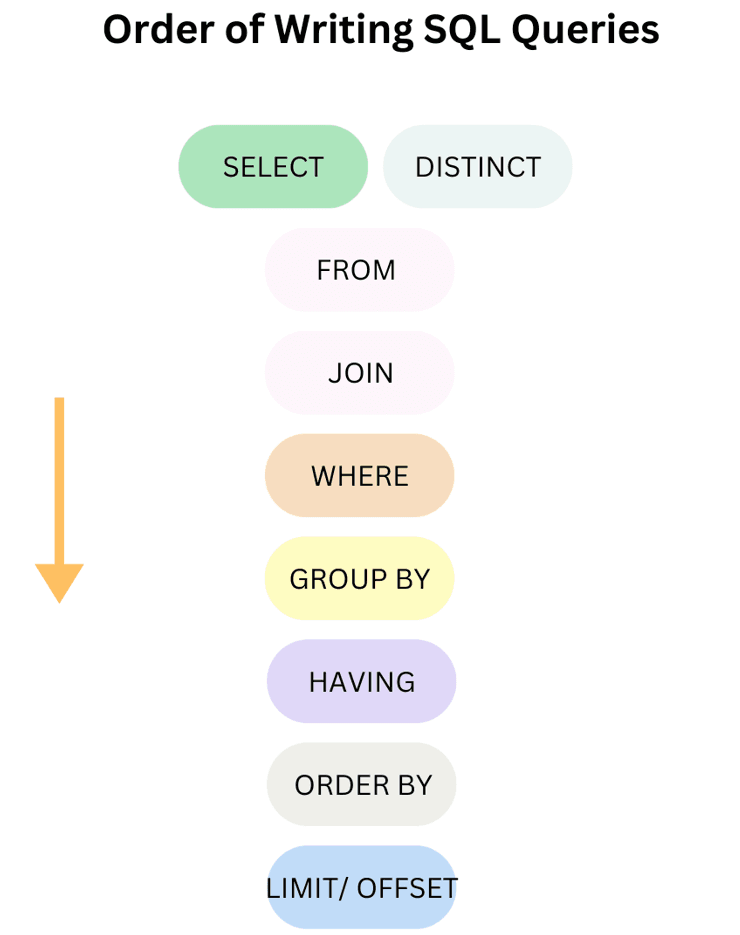
Order of execution of Sql commands
FROM/JOIN: The database locates the target tables and combines rows across joins.WHERE: Individual rows are filtered based on specified conditions before any grouping occurs.GROUP BY: The remaining rows are grouped together into summary categories.HAVING: Groups of rows are filtered based on aggregate conditions.SELECT: The engine determines which columns, calculations, or window functions to display.DISTINCT: Duplicate records are evaluated and stripped out from the result set.ORDER BY: The final set of records is sorted in ascending (ASC) or descending (DESC) order.LIMIT/OFFSET: The result set is cut down to a specific subset or paginated.
SELECT DISTINCT column_name
FROM table_name
JOIN another_table ON condition
WHERE row_condition
GROUP BY group_column
HAVING group_condition
ORDER BY sort_column
LIMIT row_count;
Using Aliases: You cannot use an alias defined in the
SELECTclause inside aWHEREorGROUP BYclause. This is because the database engine evaluatesWHEREandGROUP BYbefore it ever processes theSELECTclause. However, you can safely reuse that alias inside theORDER BYclause since it runs later.WHEREvsHAVING: UseWHEREto filter individual rows early in the sequence (saves memory). UseHAVINGonly when you must filter an aggregate metric (likeSUMorCOUNT) after rows have been grouped.
SQL Order of Execution
The order of execution of an SQL query's clauses is as follows:
1. FROM
The FROM clause is where SQL begins processing a query. It identifies the table(s) involved and sets the stage for other operations.
Table/Subquery: Fetches data and evaluates subqueries.
JOINs: Combines rows from tables based on conditions.
Data Prep: Filters data and creates a smaller dataset.
Temporary Tables: Used internally for complex operations.
2. WHERE
The WHERE clause filters rows from the table(s) based on specified conditions, so only the relevant data is processed further.
Row Filtering: Selects only rows that meet the condition.
Multiple Conditions: Can use AND, OR, NOT to combine filters.
Subqueries: Can include subqueries to filter data dynamically
3. GROUP BY
The GROUP BY clause organizes rows into groups based on one or more columns, allowing aggregate functions to summarize the data.
Grouping: Rows with the same values in specified columns are grouped together.
Aggregates: Functions like SUM, AVG, COUNT work on each group.
Filtering Groups: Can be combined with HAVING to filter groups.
4. HAVING
The HAVING clause filters groups created by GROUP BY based on a condition, letting you keep only the groups that meet specific criteria.
Group Filtering: Applies conditions to grouped data.
Works with Aggregates: Can filter using SUM, AVG, COUNT, etc.
After Grouping: Always used after GROUP BY, unlike WHERE.
5. SELECT
The SELECT clause chooses which columns or expressions to show in the final result of the query.
Column Selection: Picks specific columns from tables.
Expressions: Can include calculations, aliases, or functions.
Final Output: Determines what data is returned to the user.
6. DISTINCT
The DISTINCT clause removes duplicate rows from the query result, showing only unique values.
Eliminate Duplicates: Keeps each value or row only once.
Works with Columns or Expressions: Can be applied to one or more columns.
Used in SELECT: Always used with the SELECT clause.
7. ORDER BY
The ORDER BY clause sorts the query result based on one or more columns, either in ascending or descending order.
Sorting: Arranges rows by specified columns.
Ascending/Descending: Use ASC for ascending (default) and DESC for descending.
Multiple Columns: Can sort by more than one column for precise ordering.
8. LIMIT/OFFSET
The LIMIT clause restricts the number of rows returned by a query, showing only a specified number of results.
Row Restriction: Returns only the first N rows.
Pagination: Often used with OFFSET to fetch a specific range of rows.
Works with ORDER BY: Commonly combined to control which rows appear first.
Comments