

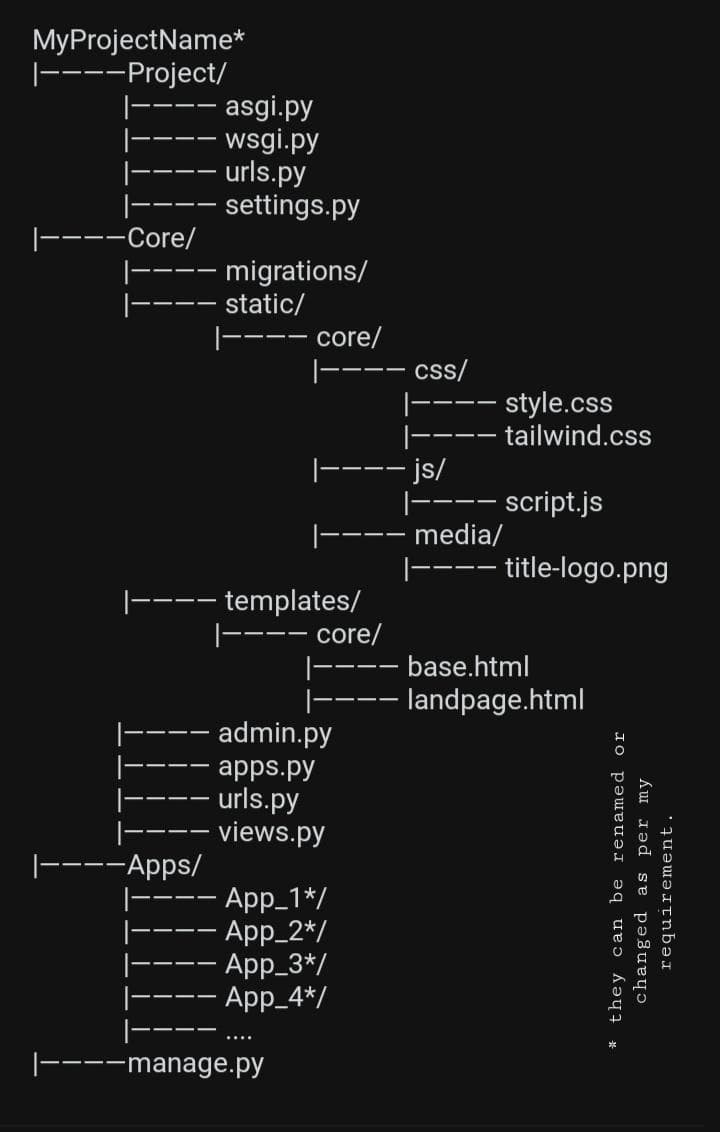
Folder Placement & Project Organization
let's talk about the final picture of the folder
/project
/.venv
/accounts
/init.py
/admin.py
/apps.py
/models.py
/tests.py
/urls.py
/views.py
/media
/posts
/products
/static
/templates
/videos
/videosnap(motherapp)
manage.py
.venv: is a virtual environment in python.
an isolated workspace where we can install packages for just this project without affecting our system wide or other projects.
scripts/(activation scripts for windows).
bin/(activation scripts for Linux/macOS.
lib/ (it contains installed packages).
pyvenv.cfg ->configuration file
static folders: are assets that don't change-like css, javascript and images used in front-end or styling.
global level static folder is used across all apps whereas app-level keeps them tied to the app they belong to.
it is configured in the settings.py as:
STATIC_URL='static/'
media folder: are the content user uploaded as profile picture, videos, docs. stored in global media/ folder.
MEDIA_URL='media/'

A clean folder structure makes collaboration easier and keeps our project professional.
Comments