

Error Handling in Python
While writing Python programs, sometimes we may get errors. Errors can happen because of wrong input, incorrect code, or unexpected situations. Error handling helps us handle these problems without stopping the entire program.
What is Error Handling?
Error handling is a way of handling errors that occur while a Python program is running.
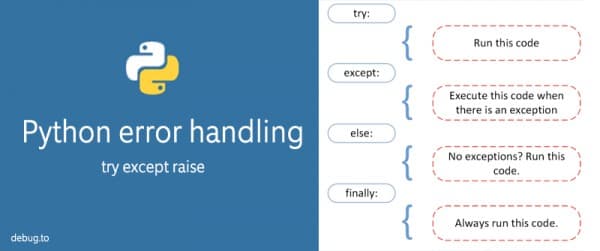
Python mainly uses try, expect, else, and finally for error handling.
try and except
The try block contains the code that may cause an error. The expect block handles the error.
try:
    number = 10 / 0
    print(number)
except:
    print("Something went wrong")
Here, dividing a number by zero causes an error. Instead of stopping the program, Python executes the expect block.
Handling a Specific Error
It is better to mention the type of error we want to handle.
try:
    number = 10 / 0
except ZeroDivisionError:
    print("Cannot divide by zero")
This makes our program easier to understand.
Using else
The else block runs when there is no error in the try block.
try:
    number = 10 / 2
except ZeroDivisionError:
    print("Cannot divide by zero")
else:
    print("Result:", number)
Since there is no error, the else block is executed.
Using finally
The finally block always runs, whether an error occurs or not.
try:
    number = 10 / 2
    print(number)
except ZeroDivisionError:
    print("Cannot divide by zero")
finally:
    print("Program completed")
The finally block is useful when we want to perform an action at the end, such as closing a file or releasing a resource.
Multiple except Blocks
We can handle different types of errors using multiple except blocks.
try:
    number = int(input("Enter a number: "))
    result = 10 / number
    print(result)

except ValueError:
    print("Please enter a valid number")

except ZeroDivisionError:
    print("Cannot divide by zero")
Here, valueerror handles invalid input, while zerodivisionerror handles division by zero.
Error handling makes our programs more reliable. Instead of suddenly stopping when something goes wrong, the program can display a useful message and continue running.
Comments