

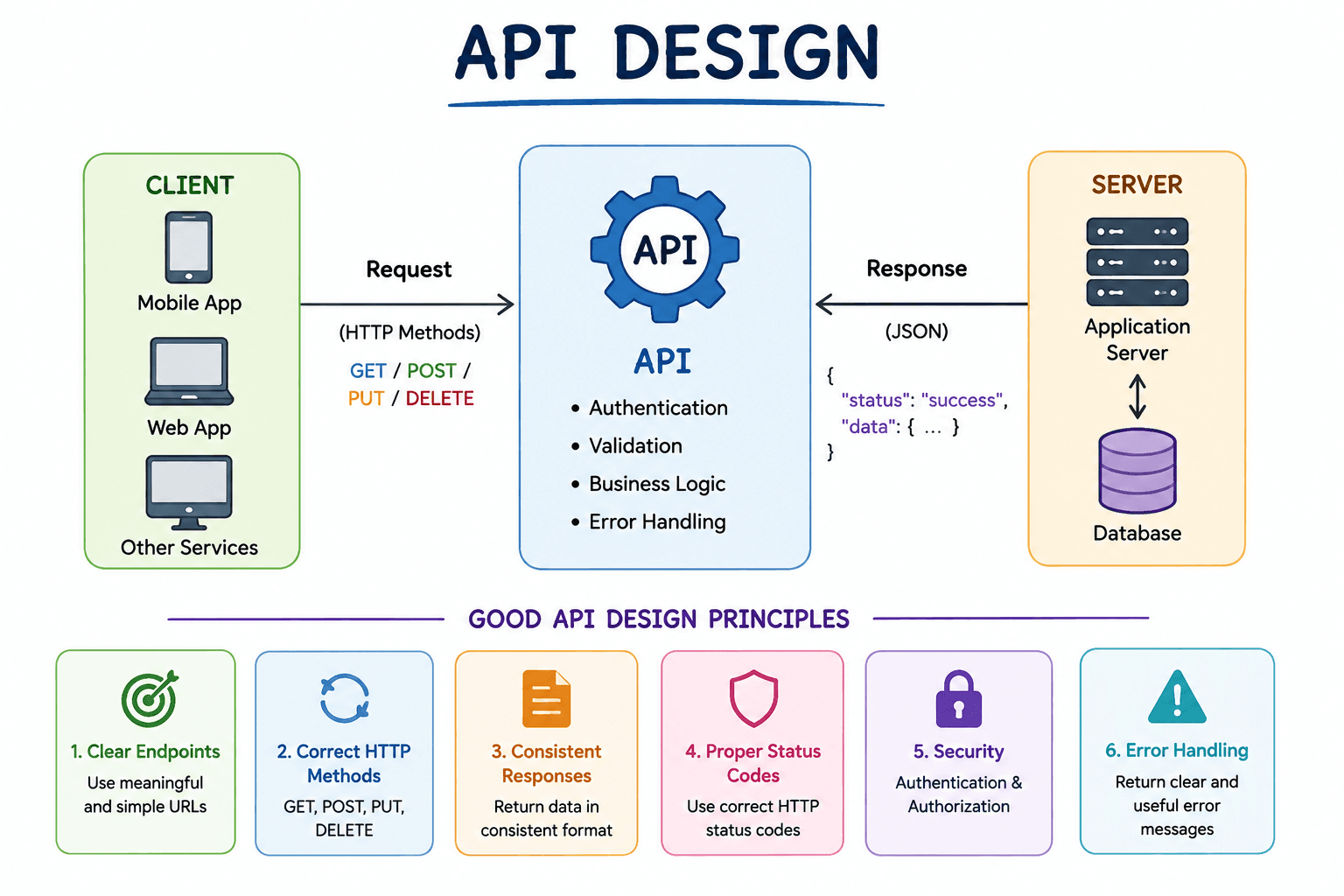
API DESIGN
API Design
What is an API?
API stands for Application Programming Interface.
An API helps two applications communicate with each other.
For example, when you use a food delivery app, the app needs information about restaurants, food items, prices, and orders. The app gets this information from the server through an API.
Simple Flow
Client → API → Server → Database
The server processes the request and sends the result back:
Client ← API ← Server
What is API Design?
API Design means planning how an API will work and how users or applications will communicate with it.
While designing an API, we decide:
- What URLs should be used
- Which HTTP methods should be used
- What data should be sent
- What response should be returned
- Which status codes should be used
- How authentication will work
- How errors will be handled
HTTP Methods
HTTP methods tell the API what action we want to perform.
| Method | Purpose | Example |
|---|---|---|
| GET | Get data | /users |
| POST | Create data | /users |
| PUT | Update data | /users/1 |
| DELETE | Delete data | /users/1 |
Example
GET /products
This means:
"Give me the products."
POST /products
This means:
"Create a new product."
Request and Response
When we use an API, there are two important things:
Request
The client sends a request to the server.
GET /products
Response
The server sends the result back.
{
    "id": 1,
    "name": "Laptop",
    "price": 50000
}
So the basic communication is:
Client → Request → API → Server → Response → Client
API Endpoint
An endpoint is the URL used to access a particular resource.
For example:
/users
/products
/orders
We can also access one specific resource:
/users/10
/products/5
/orders/20
Here, 10, 5, and 20 are IDs.
Path Parameters
A path parameter is a value that is part of the URL.
Example:
GET /users/10
Here, 10 represents the user ID.
The API can use this ID to find that particular user.
Query Parameters
Query parameters are used to send additional information.
Example:
GET /products?category=shoes
Here, category=shoes is a query parameter.
It can be used for:
- Searching
- Filtering
- Sorting
- Pagination
Status Codes
Status codes tell us what happened to the request.
Some common status codes are:
- 200 → Request successful
- 201 → Data created successfully
- 400 → Bad request
- 401 → Authentication required
- 403 → Access not allowed
- 404 → Data not found
- 500 → Server error
For example, if a product is successfully created:
201 Created
If a product does not exist:
404 Not Found
Authentication and Authorization
Some APIs should only be accessed by authorized users.
Authentication
Authentication asks:
"Who are you?"
For example, a user logs in with a username and password.
Authorization
Authorization asks:
"What are you allowed to do?"
For example:
A normal user can view products.
An admin can add, update, and delete products.
Error Handling
A good API should provide clear error messages.
For example:
{
    "error": "Product not found"
}
This helps developers understand what went wrong
API Versioning
Sometimes an API needs to be changed.
Instead of suddenly changing the existing API, we can create a new version.
Example:
/api/v1/usersLater:
/api/v2/usersThis allows older applications to continue using version 1 while newer applications can use version 2.
Comments